工作流教程
Reve 图像创建、编辑和混合 ComfyUI 官方示例
了解如何在 ComfyUI 中使用 Reve 合作伙伴节点进行高质量图像生成、编辑和混合,支持最高 4K 分辨率
Reve 是一个通过合作伙伴节点在 ComfyUI 中提供的图像生成模型。它通过三个专用节点支持最高 4K 分辨率的文生图、图像编辑和图像混合。
关于 Reve
核心功能:
- 最高 4K 分辨率:生成清晰、细节丰富的高分辨率图像
- 内置美学训练:在时尚编辑、电影感和自然光照风格方面表现出色
- 图像编辑:修改光照条件、色彩分级,并为现有图像添加动态效果
- 图像混合:将参考图像中的元素组合到目标图像中,同时保持一致性
Reve Create
Reve Image Create 节点根据文本提示词生成图像。该模型在描述时尚编辑风格、特定光照条件、自然纹理和动态效果的提示词方面表现良好。
在云端试用
在 Comfy Cloud 上运行 Reve Image Create 工作流。
下载工作流
下载工作流 JSON 文件以供本地使用。
示例输出

A high-fashion editorial portrait of a young East Asian model with long, straight black hair and thick bangs, crouched in a studio setting. She wears a minimalist, muted beige dress. The image features a cinematic dual-tone lighting setup, where the left side is washed in a soft greenish-yellow glow and the right side is cast in cool, muted blue-grey, creating a subtle color bleed effect. There is a slight motion blur, with the subject looking directly at the camera with a calm, neutral expression. High-end fashion magazine aesthetic, soft focus background, structured silhouette.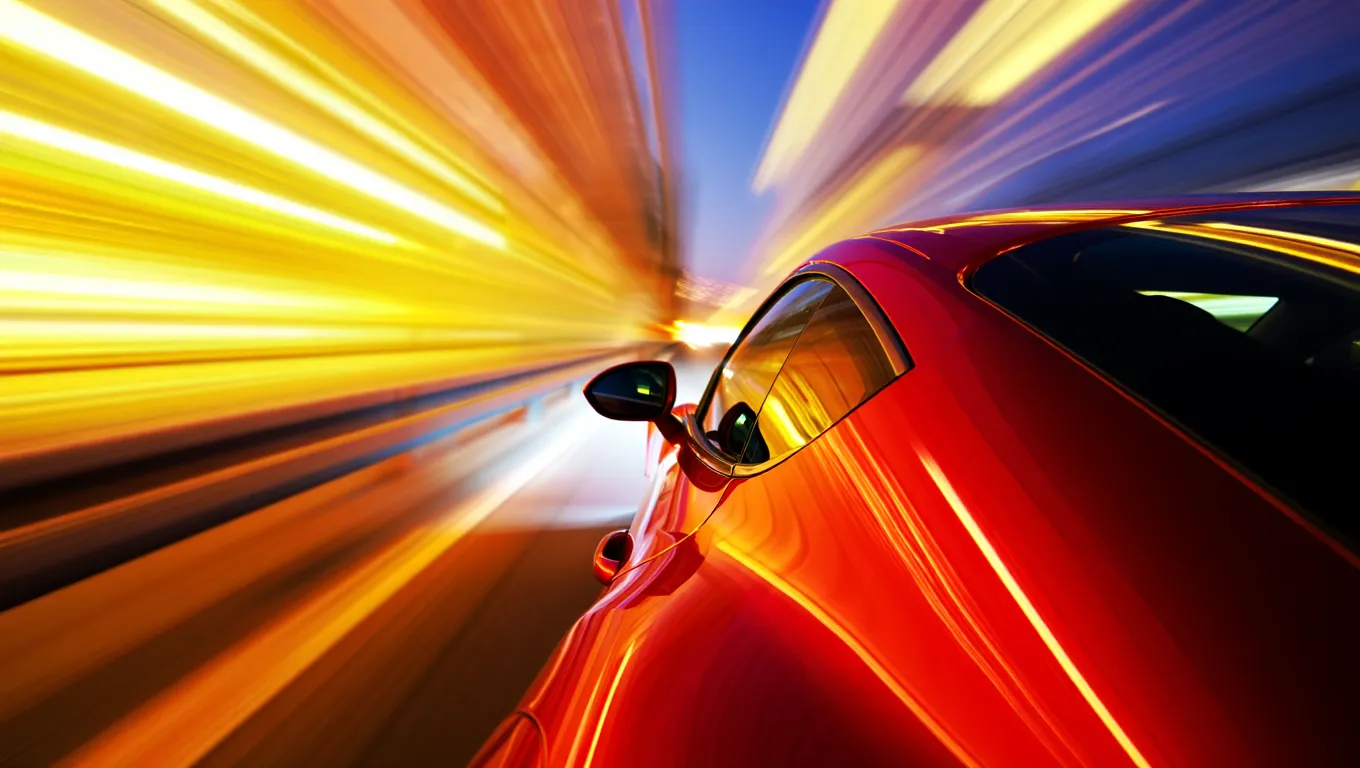
A high-speed, cinematic capture of a vibrant red sports car speeding through the night. The camera angle is positioned near the rear-three-quarter view, emphasizing the sleek, metallic curves and the car's aerodynamic design. The entire background is transformed into a dramatic radial blur of brilliant yellow, orange, and white light streaks, suggesting extreme velocity. The car's surface reflects the warm ambient lights of the city, contrasting sharply with the deep, dark blue of the night sky.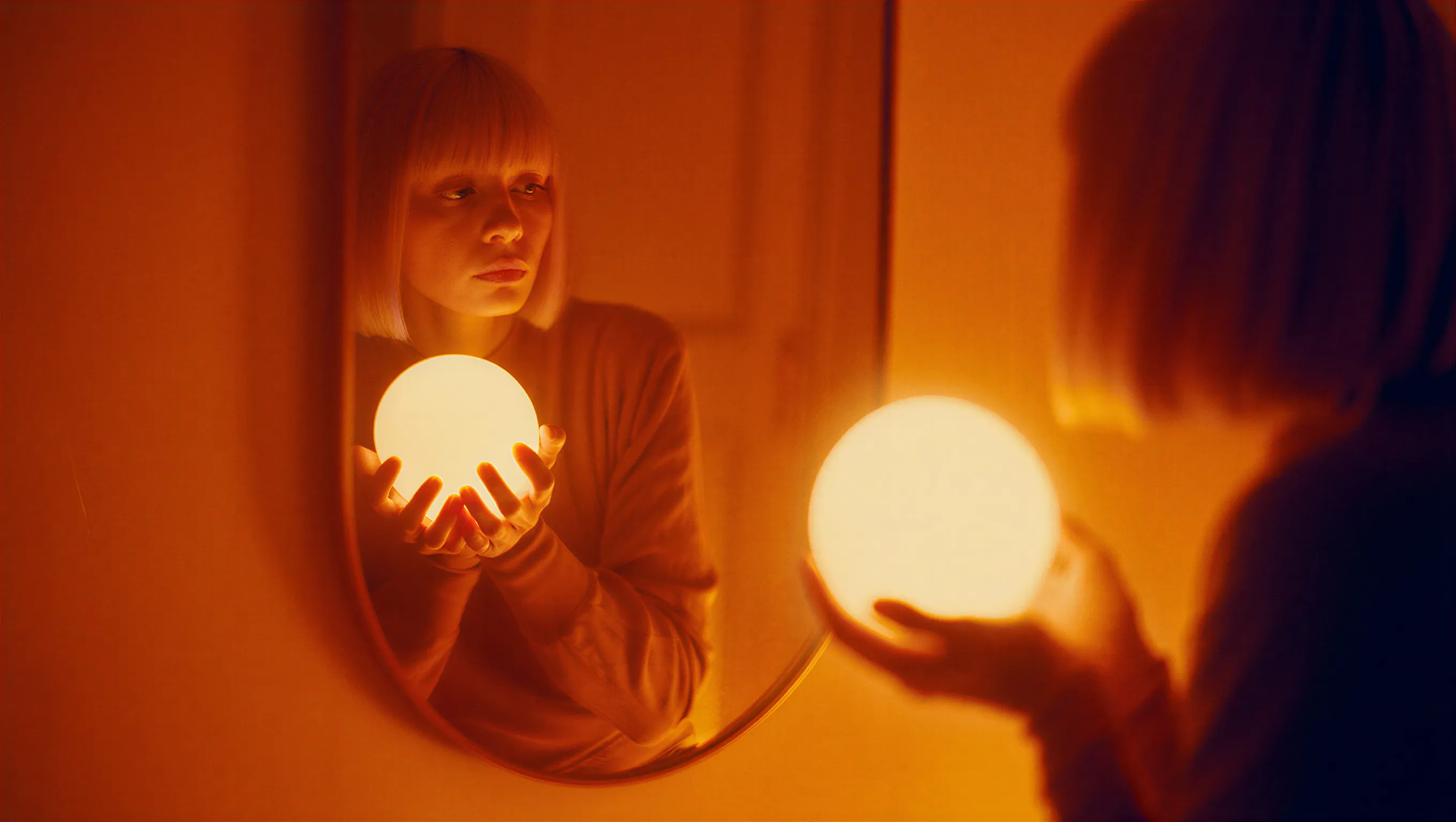
A cinematic photograph of a woman with a bob haircut looking at her reflection in a mirror, her hands gently cradling a brilliant, glowing spherical white orb. The image is saturated in deep orange and amber tones, with heavy light leaks and lens flares washing out the center of the frame as the sphere radiates subtle, ethereal light. The composition features a soft, dreamy focus with significant analog film grain, creating a nostalgic atmosphere where the reflected face in the mirror appears slightly blurred and obscured by the warmth of the light leakage.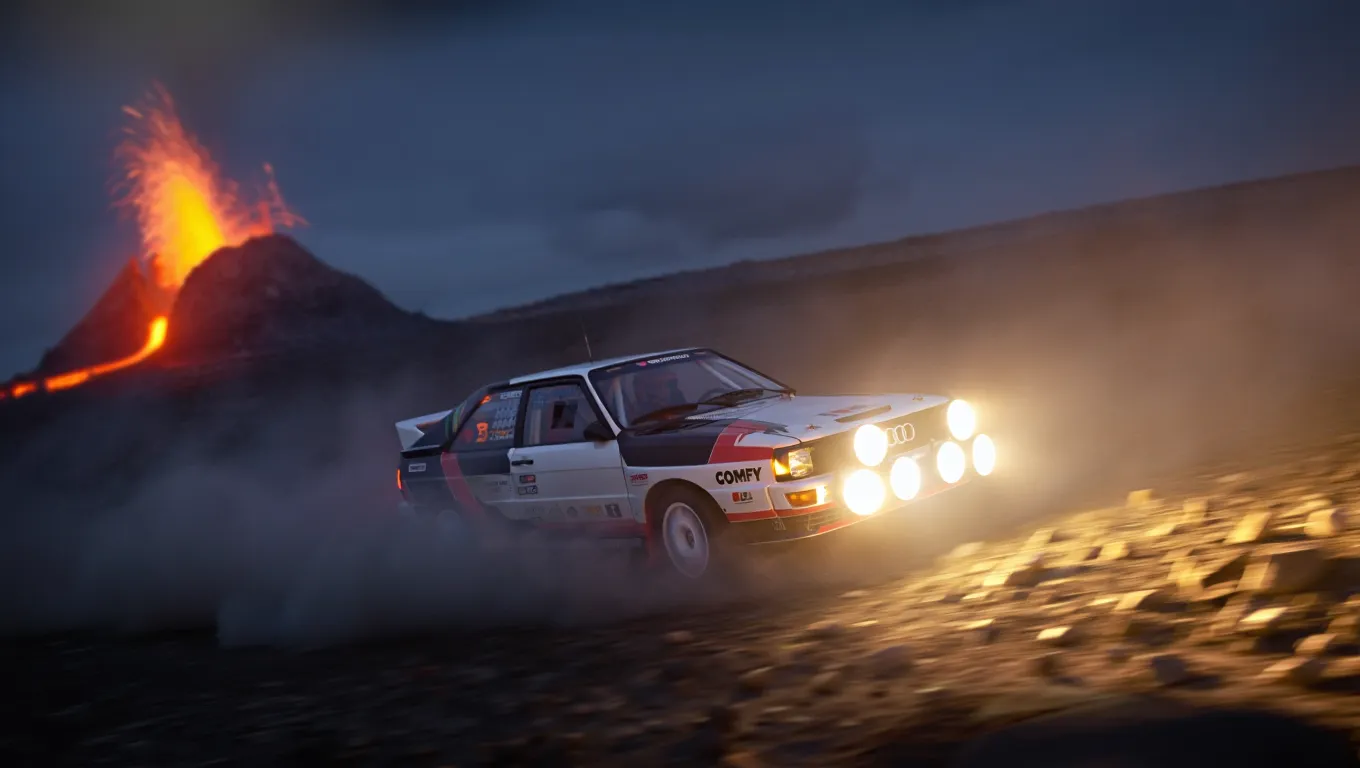
A high-action, wide-angle nighttime shot of a legendary Audi Quattro rally car drifting through a barren rocky field at the base of a volcano. The car is coated in white and black. Powerful auxiliary spotlights on the front of the car cast a bright, warm glow, catching the thick dust kicked up by the aggressive tread of the tires. In the background, out-of-focus volcano spraying lava. The scene is cold and dark, with the intense light from the lava creating dramatic contrast.以下示例展示了 4K 分辨率输出的细节保留效果:

A wide-angle landscape photograph of a solitary Jaguar F-Type car in British green, on a dirt trail facing a distant beach at twilight. The sky features dramatic long-exposure cloud streaks radiating from a low sun on the horizon. The foreground is dominated by jagged limestone rocks and blades of grass, leading the viewer's eye along a path that cuts through grassy hills toward the water. The lighting is cool and moody, casting deep shadows against the golden glow of the setting sun.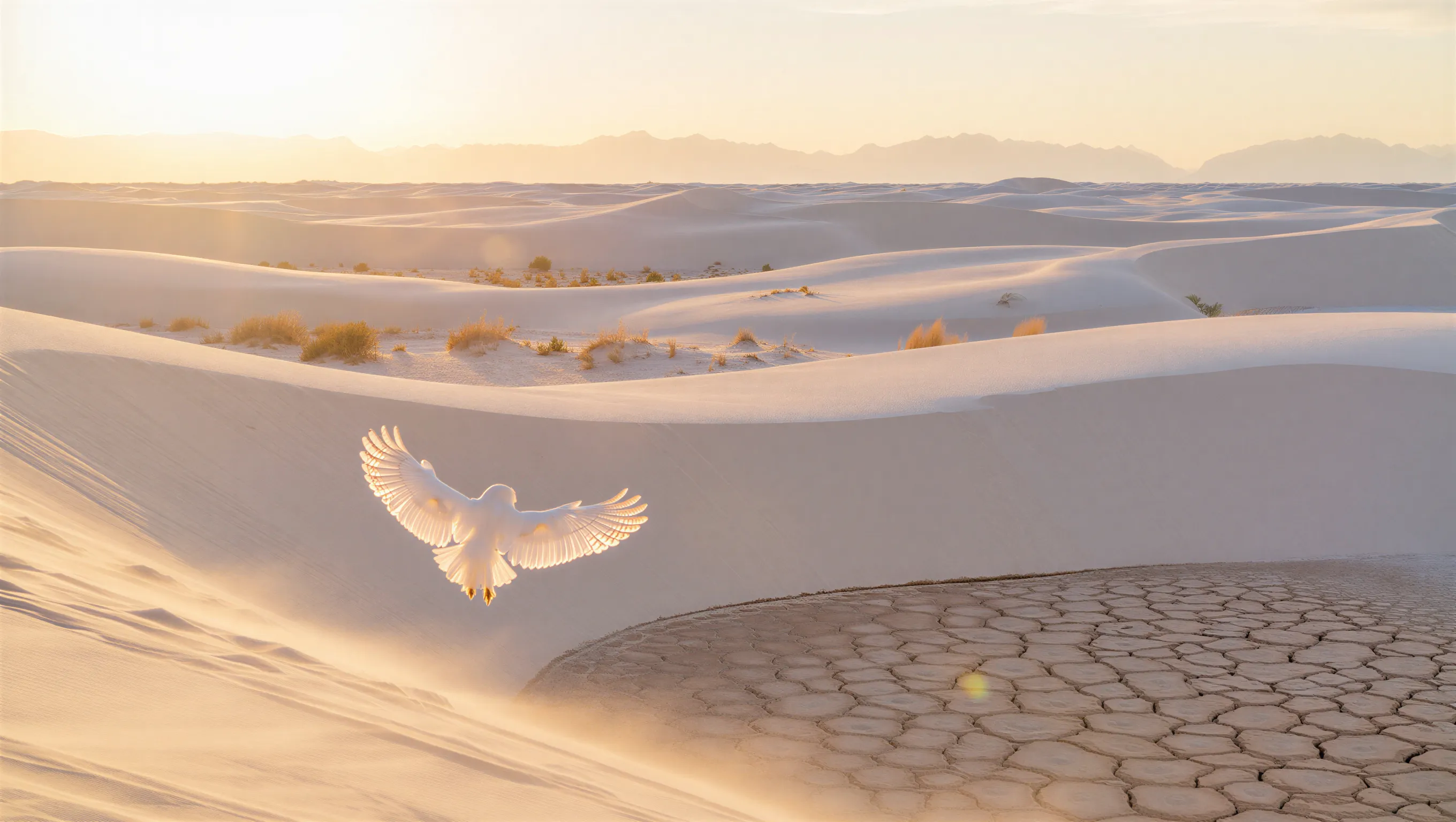
A minimalist wide shot of a vast white sand dune desert during golden hour. A white owl with its wings spread is in the foreground. Soft warm sunlight grazing the tops of the dunes, casting long shadows. Sparse, golden-brown desert shrubs are scattered across the ripples, with a prominent patch of dry, cracked, hexagonal mud in the bottom right foreground. In the far distance, a hazy, ethereal range of mountains rests against a pale, washed-out sky.Reve Edit
Reve Image Edit 节点根据文本指令修改现有图像。支持编辑光照条件、色彩分级以及添加动态效果。
在云端试用
在 Comfy Cloud 上运行 Reve Image Edit 工作流。
下载工作流
下载工作流 JSON 文件以供本地使用。
示例输出
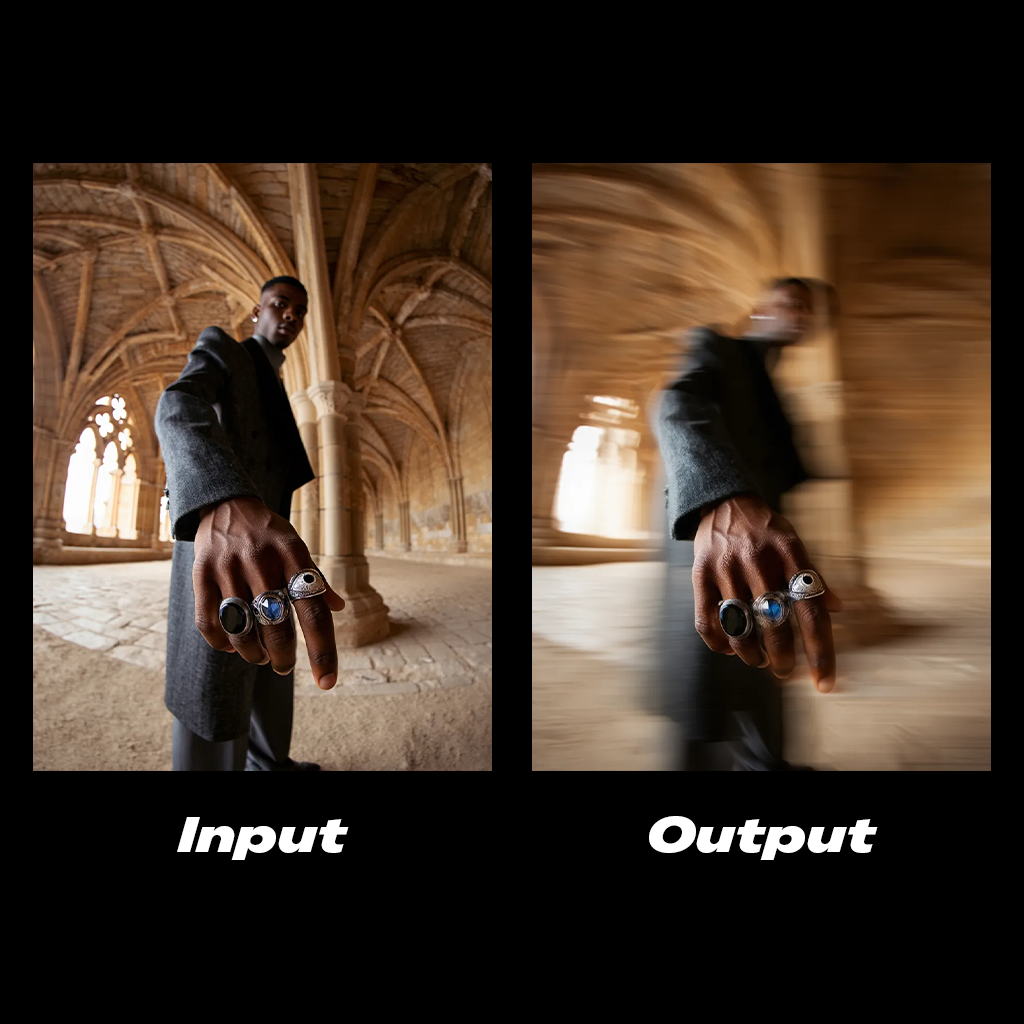
Add a cinematic horizontal streaks motion blur to the subject's body. The hand stays in clear focus.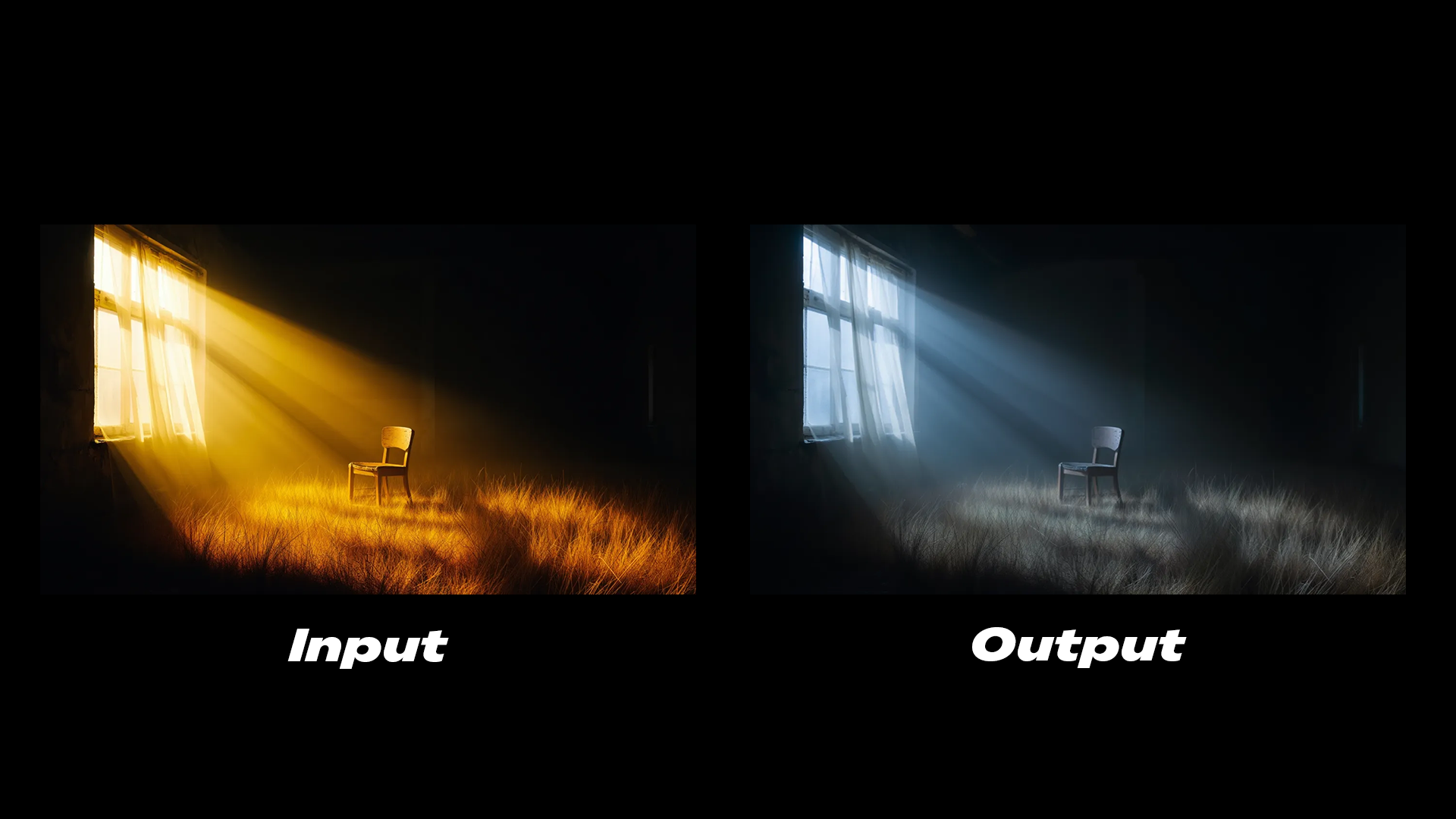
The lighting is cold, soft glow emits from the window.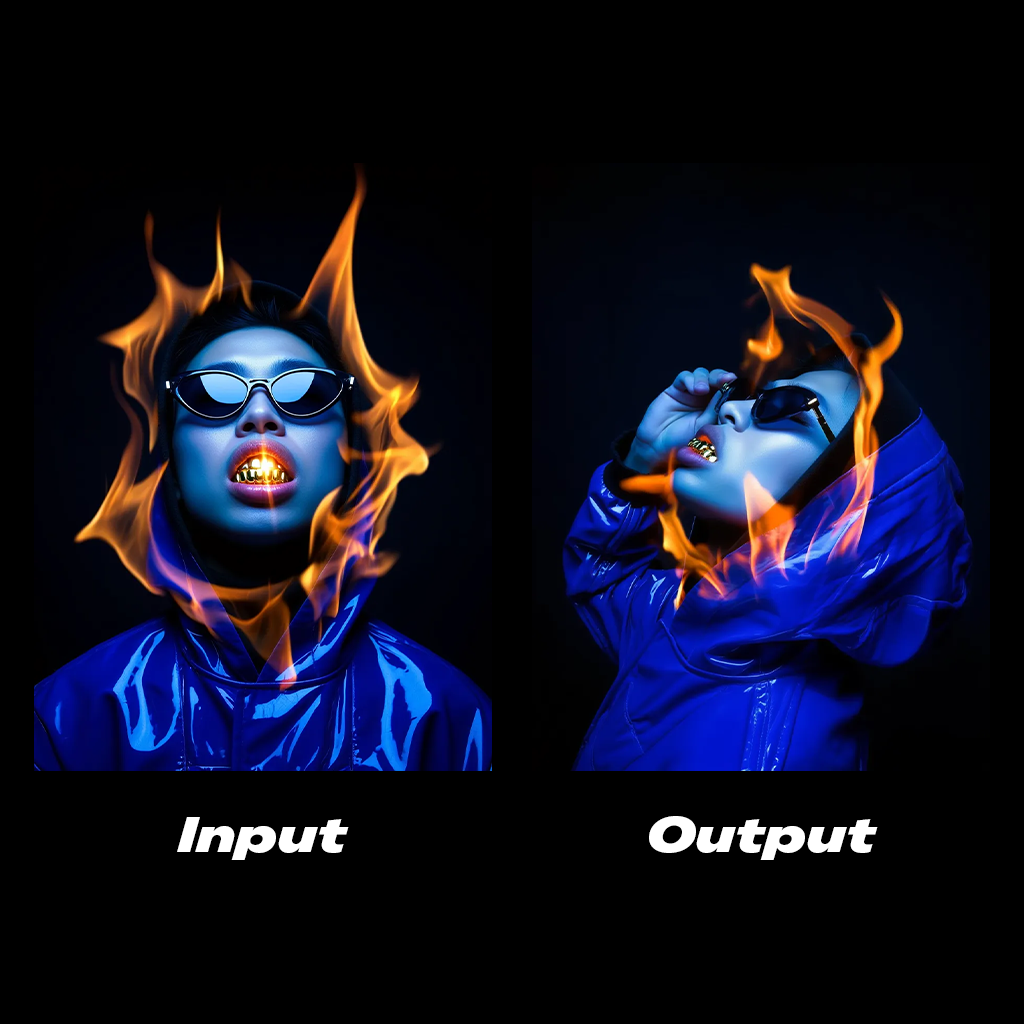
Side profile shot of the subject, his hand is grabbing the sunglasses.Reve Remix
Reve Image Remix 节点将参考图像中的元素作为图层应用到目标图像上。你可以使用它在图像之间迁移特定的视觉属性,如阴影、色彩分级或美学风格。
在云端试用
在 Comfy Cloud 上运行 Reve Image Remix 工作流。
下载工作流
下载工作流 JSON 文件以供本地使用。
示例输出
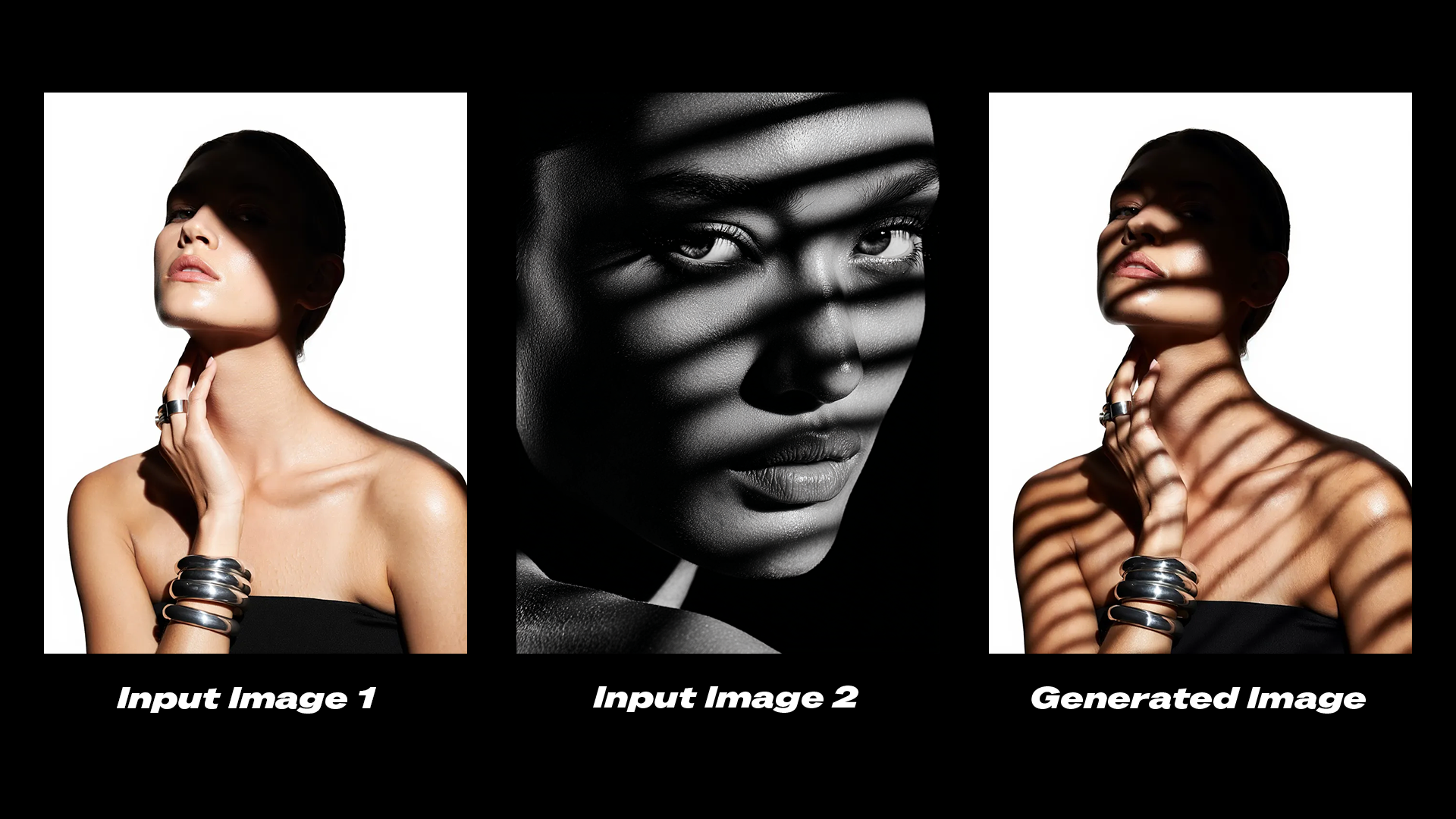
Edit the shadows on the subject in image 1 to match the shadows from image 2.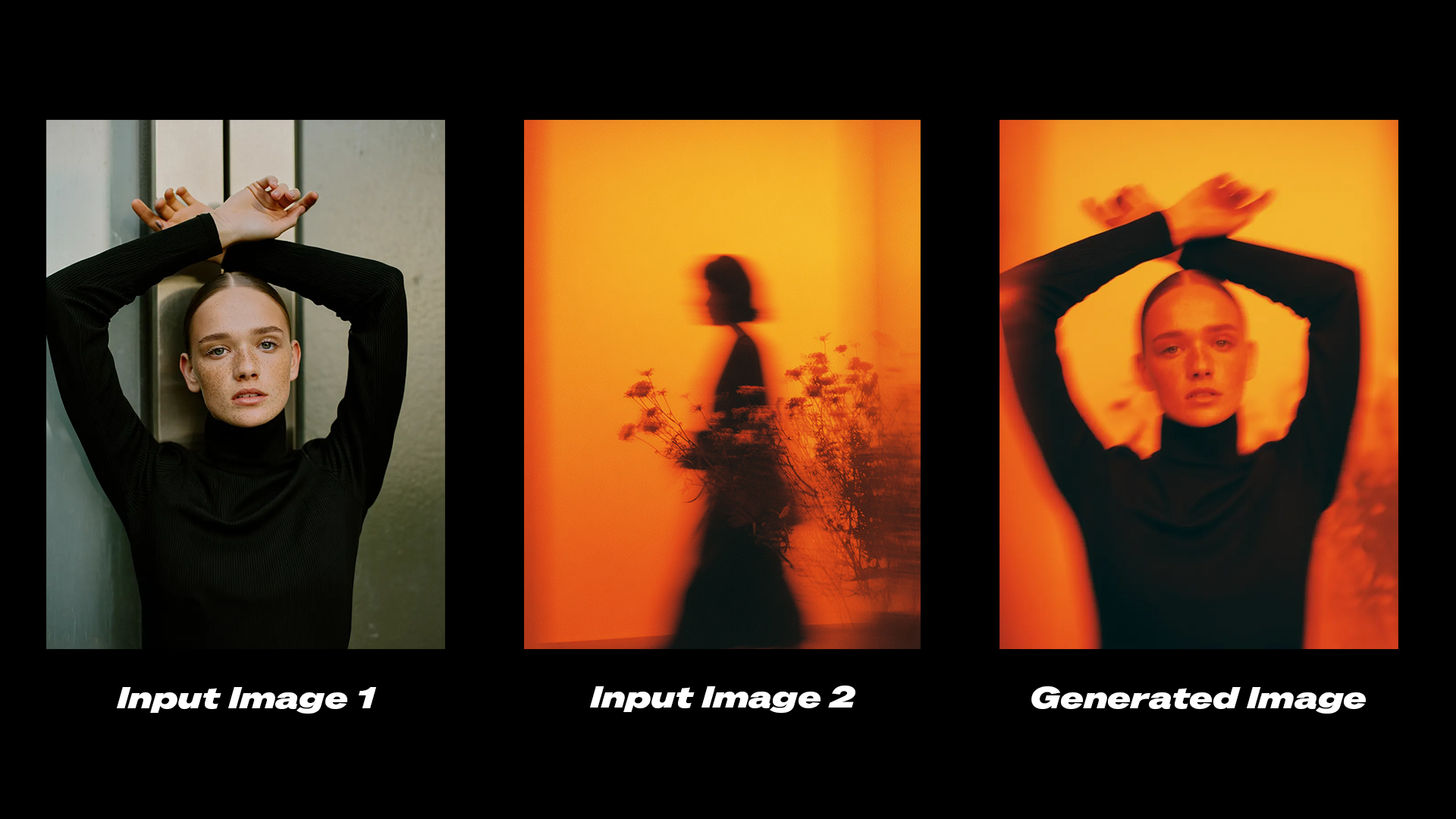
Transfer the color grading and aesthetic from image 2 onto image 1.开始使用
- 更新 ComfyUI 到最新版本,或访问 Comfy Cloud。
- 找到 左侧边栏节点库或模板中的 Reve Image Create、Reve Image Remix 和 Reve Image Edit 节点。
- 拖放节点 到画布上即可开始使用。
可用节点
| 节点 | 类型 | 描述 |
|---|---|---|
| Reve Image Create | 文生图 | 根据文本提示词生成最高 4K 分辨率的图像 |
| Reve Image Edit | 图像编辑 | 修改现有图像的光照、色彩分级和动态效果 |
| Reve Image Remix | 图像混合 | 将参考图像的视觉属性迁移到目标图像 |
官方原文
本页来自 Comfy-Org 官方中文文档的固定版本,并转换为 xueai 静态页面。内容以官方持续更新的页面为准。