节点与集成
S3
Use the S3 node to automate work in non-AWS S3 storage and integrate S3 with other applications. n8n has built-in support for a wide range of S3 features, including creating, deleting, and getting buckets, files, and folders. For AWS S3, use AWS S3.
Use the S3 node for non-AWS S3 solutions like:
On this page, you'll find a list of operations the S3 node supports and links to more resources.
Operations
- Bucket
- Create a bucket
- Delete a bucket
- Get all buckets
- Search within a bucket
- File
- Copy a file
- Delete a file
- Download a file
- Get all files
- Upload a file
Attach file for uploadTo attach a file for upload, use another node to pass the file as a data property. Nodes like the Read/Write Files from Disk node or the HTTP Request work well.
- Folder
- Create a folder
- Delete a folder
- Get all folders
Templates and examples
Browse S3 node documentation integration templates or search all templates
Node reference
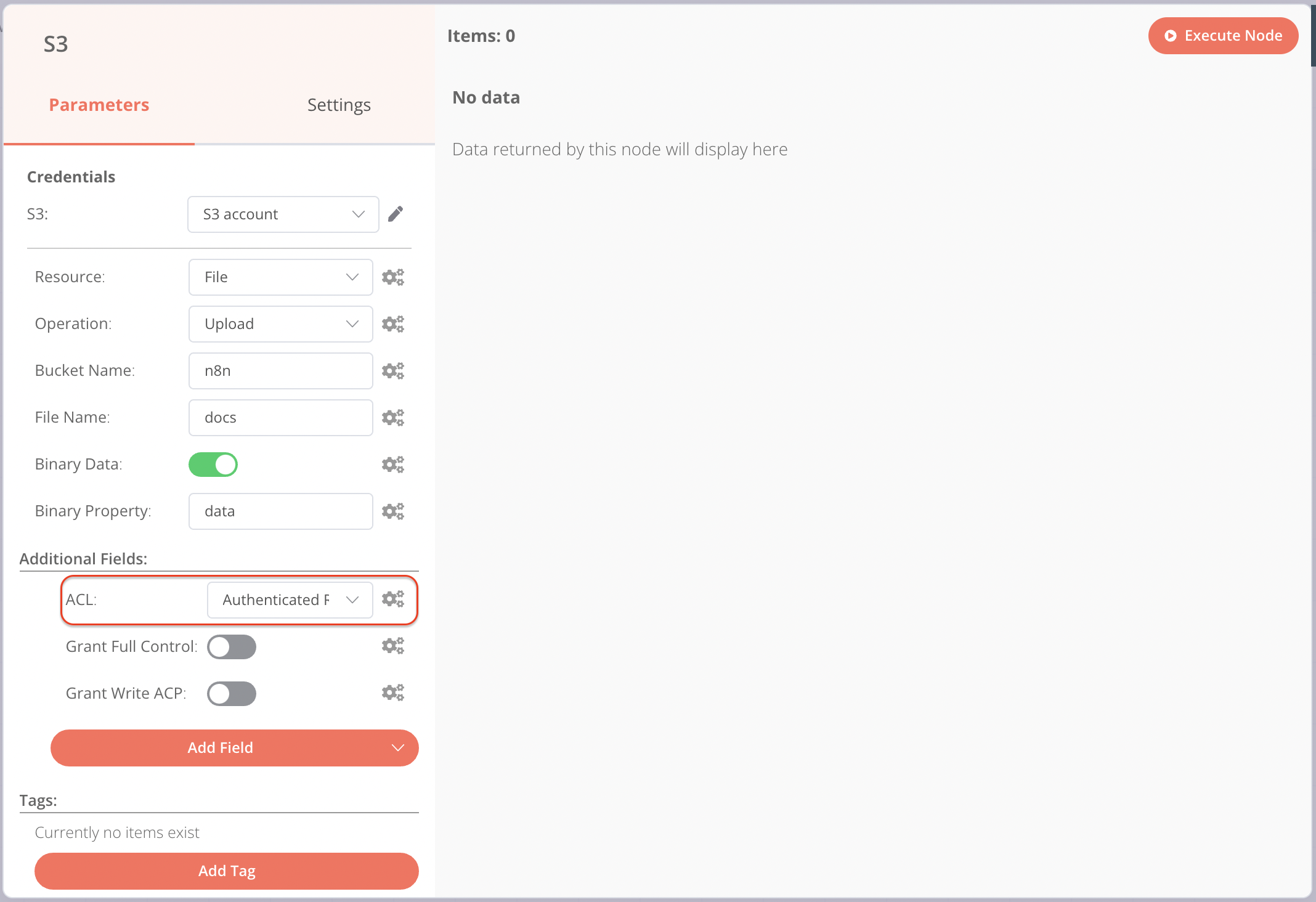
Setting file permissions in Wasabi
When uploading files to Wasabi, you must set permissions for the files using the ACL dropdown and not the toggles.
官方原文和授权
本页来自 N8N 英文官方网站固定快照,并转换成 xueai 静态页面。内容以 N8N 持续更新的官方页面为准。